Classroom Timer Tips and Strategies for Engaging Focused Learning
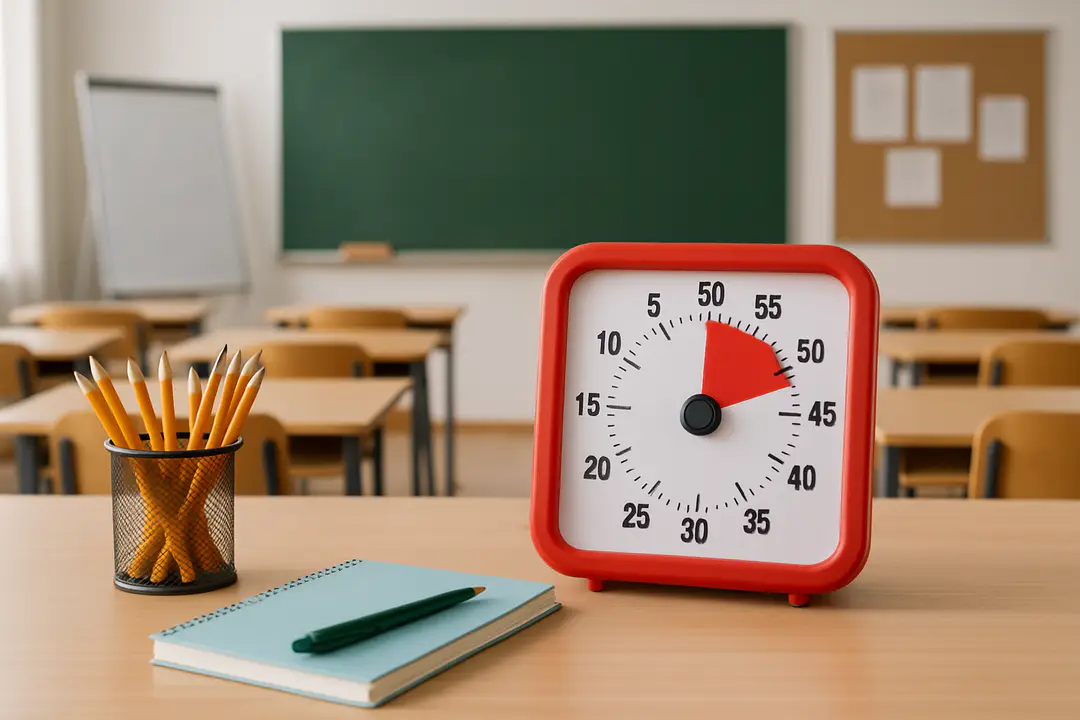
Timers are the silent heroes behind a smooth and engaging classroom. We all talk about lesson plans and activities, but the specific tool we use to track time often gets overlooked. Could the way you set up and run your classroom timer be the missing link between a chaotic class and a truly focused learning session?
By selecting the right timer style and using clear signals, you can guide students through transitions, keep them on task, and avoid that frantic last-minute rush. Understanding these simple yet powerful details helps you plan better, maintain student engagement, and prevent unexpected breakdowns in class flow.
Understanding Timer Benefits
Every teacher has felt the pressure when an activity runs too long and wipes out time for review. A well-placed timer solves this by making time visible. Students know exactly how many minutes they have, and you avoid guessing or dragging on. It builds a shared rhythm between you and the class.
Timers also teach self-management. When pupils see a clear countdown during group work, they learn to pace themselves, discuss key points quickly, and wrap up tasks on schedule. Over days and weeks, they internalize a sense of how long tasks take. That skill helps far beyond one lesson.
Beyond pacing, timers bring fairness. If every group or individual sees the same countdown, no one feels left out. You avoid side conversations about who got more work time or who dragged discussions. A neutral, visible clock levels the playing field.
Finally, timers reduce teacher stress. Instead of constantly reminding students to hurry, you set the timer, start it, and focus on guiding content. The timer handles the rest. That freedom lets you concentrate on questions, explanations, and real teaching.
Types of Timers
Not all timers are equal. Your choice will depend on class size, subject, and technology access. Here are the most common options:
- Physical sand timers – Cheap, tactile, and visible from a desk or table. Ideal for small groups or individual desks.
- Digital countdown clocks – Often mounted on a wall or projector. They are clear for large spaces and come with alarms or flashing lights.
- App-based timers – Apps on tablets or phones with customizable settings and notifications.
- Online browser timers – Free tools you can share via screen, perfect when you already use digital platforms.
For quick online breaks, some educators even mix in short, low-key browser games at sites like unblocked game portals to reset attention before diving back into a tough topic. That bit of novelty can make the timer feel like a friend rather than a boss.
Choosing among these means weighing visibility, ease of reset, and any sound alerts. Match the tool to your space: a noisy room might need flashing lights over a beep, while a small reading circle could use a classic sand timer for its quiet charm.
Crafting Timer Goals
Before you hit start, define what you want the timer to do. Is it guiding transition, keeping group work on track, or reminding students to review their answers? Clear goals shape how you present and use the timer.
For transitions, you might set short intervals (30 seconds to 2 minutes) with gentle beeps. For a quiz or writing exercise, longer slots (5–10 minutes) with a final chime work well. Call out the start, explain any in-between cues, and let students watch the countdown. That transparency helps them self-regulate.
Break larger tasks into chunks. Instead of one 20-minute block, try two 10-minute cycles with a quick check-in in the middle. This “two-act” model keeps energy high and gives you a natural checkpoint to answer questions and adjust pace.
Also consider non-academic uses. A timer during cleanup or silent reading cultivates routine. If kids know they get exactly five minutes to tidy up, they’ll learn to use that time wisely. Sticking to the clock means you’re fair and predictable, which builds trust.
Adjust as you go. If students rush and finish early, either give them a little extension or reset for a bonus activity. If they consistently miss the target, reassess your time goal. The magic is in fine-tuning the rhythm.
Lesson Plan Integration
Timers shouldn’t feel tacked on. Weave them into your lesson design from the start. When mapping out activities, mark each section with its time allotment. Share that schedule on the board or in your digital hub so everyone knows what’s coming.
By integrating with Google Classroom or your learning management system, you can set timed assignments that open and close automatically. Students see deadlines right in their workflow, and you free up a bit of mental load.
During hands-on labs or group discussions, you can project a shared timer on the whiteboard. Label each phase: “Phase 1: Brainstorm – 5 minutes,” “Phase 2: Outline – 7 minutes,” and so on. When the countdown hits zero, move to the next phase without debate.
Design your slides or printables to include tiny clock icons or colored time bars. Even a simple bar that fills as time passes gives students a quick visual cue. It turns time management into part of the content, not an add-on.
When you plan this way, lessons flow smoothly. You avoid sudden stops or frantic wrap-ups, and students build an intuitive sense of classroom pace.
Student Involvement
Timers work best when students own them. Invite volunteers to run the countdown or act as timekeeper stations in group work. Rotating that role teaches responsibility and keeps everyone engaged.
Challenge students to set the timer themselves. After discussing a topic, ask them to estimate how long it would take to summarize key points. Then start the timer and see how close their guess was. That mix of prediction and real timing sharpens their sense of effort and planning.
You can also build in reflection. At the end of each timed activity, pause for a quick check: Did we finish early? Did we need more time? What slowed us down? A short discussion like this makes timing a learning moment, not just a cutoff.
Peer feedback ties in nicely too. If a group misses a deadline, invite classmates to suggest strategies for next time. Maybe they need smaller steps or clearer roles. Student-led tweaks often stick better than teacher directives.
Over time, kids start using timers in their own spaces, from home study sessions to project work. That sense of control and accountability crosses into other habits and boosts independent learning.
Tracking and Feedback
Knowing how students use time is as important as setting the timer. Keep simple logs to spot patterns. You might use a chart that shows estimated vs. actual time for each activity.
| Method | Pros | Cons |
|---|---|---|
| Manual Journal | Low tech, easy | Quick to forget entries |
| Shared Spreadsheet | Real-time updates | Needs device access |
| App Tracking | Automatic logs | Learning curve |
Review your data weekly. If most groups take much longer on writing tasks, break the task into smaller chunks or provide additional support. If they finish too early, consider raising the challenge or introducing stretch goals.
Sharing progress charts with students makes it a joint project. They see the class average, set targets, and celebrate when they meet or beat them. A small reward—like classroom choice time or a fun brain break from free games—goes a long way.
Finally, adjust your approach based on feedback. If students suggest a timer tone is too jarring, switch to a gentler signal. The more you involve them, the more the timer becomes a tool, not a punishment.
Conclusion
Bringing a reliable classroom timer into everyday lessons transforms how you and your students work together. With clear goals, the right tools, and student ownership, you move from time struggles to smooth, predictable routines. Your lesson plans gain structure, students sharpen their self-management, and teaching feels more focused.
Remember, it starts with understanding your goals, selecting the proper timer, and weaving it into your plan. Track progress, invite feedback, and refine your approach. In just a few weeks, you’ll see more on-task behavior, fairer group work, and an energy that matches the clock’s steady pulse. Embrace the timer, and watch the classroom hum in time.